Per-App Language.
Each app, in your language.
Set each Android app's display language without changing your whole device, including apps absent from Android's App Languages list.
See it in use.
Swipe sideways or use the arrows to browse
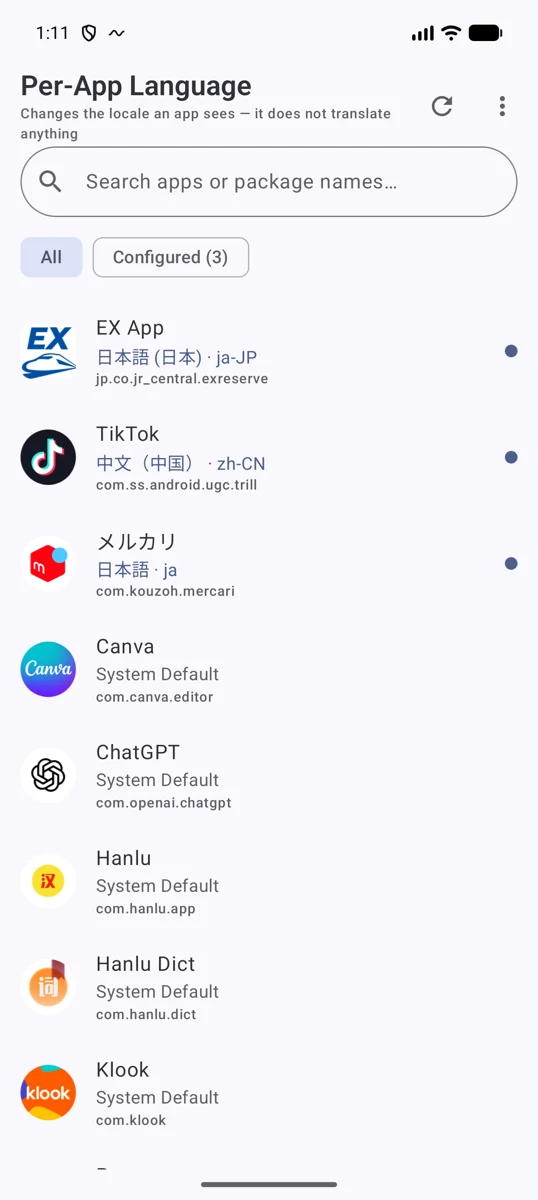
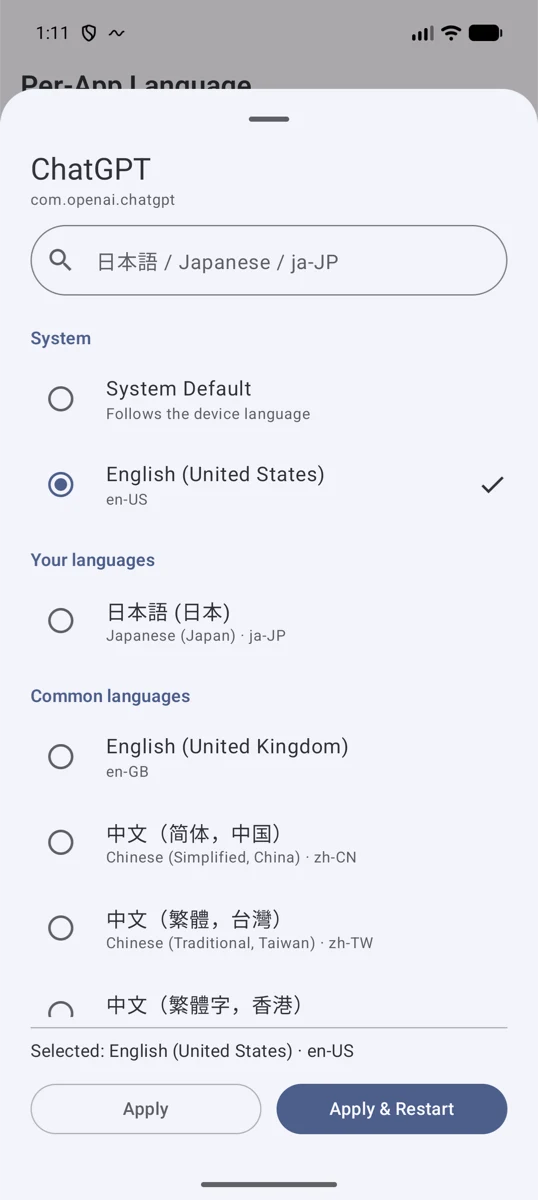
Keep your device language as it is.
Keep your phone in Japanese, use WeChat or Taobao in Simplified Chinese, and ChatGPT in English. Set a language even for apps not listed in Android's App Languages settings.
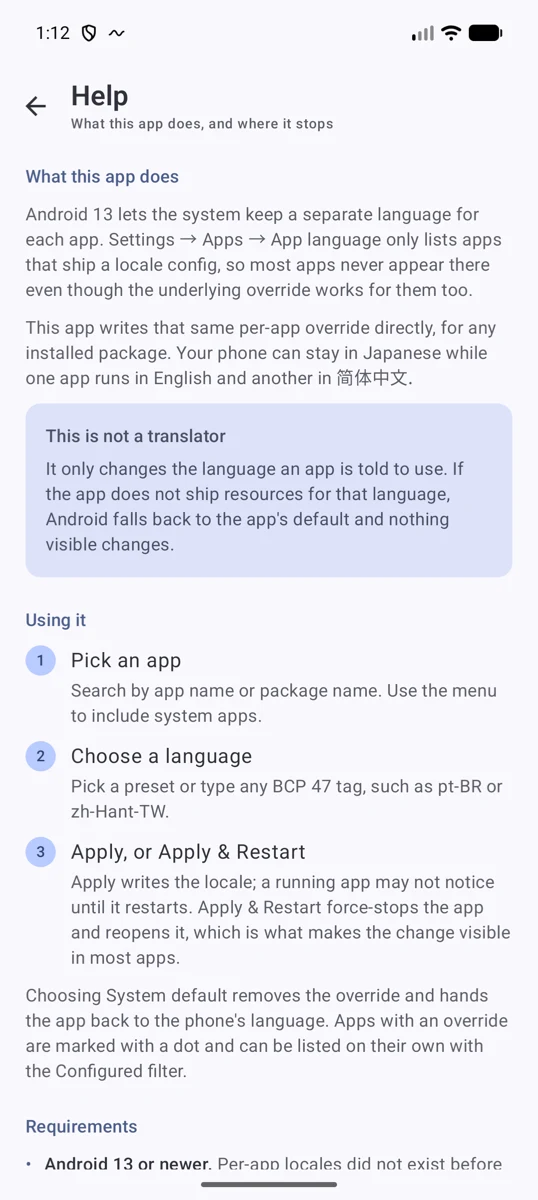
This is not a translator. If the app has no resources in the chosen language, its display will not change.
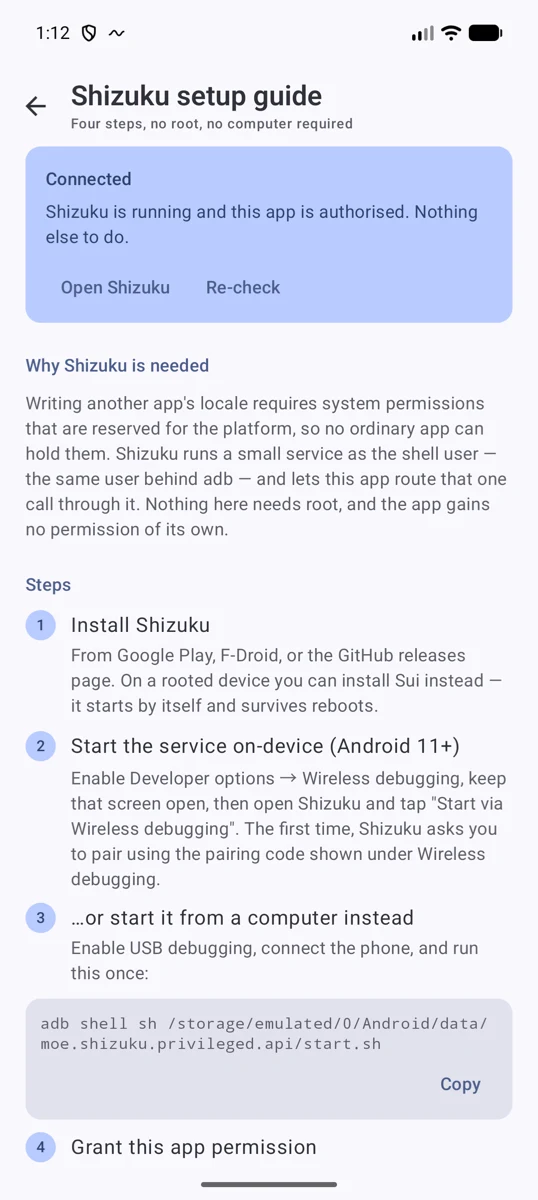
Set up in four steps.
1. Install Shizuku.
2. Start Shizuku with wireless debugging or a computer.
3. Open Per-App Language and grant Shizuku access.
4. Pick an app and language, then choose Apply & Restart.
Android keeps applied language settings after Shizuku stops or the device restarts. On unrooted devices, restart Shizuku after rebooting when you want to change or reset a language again.
Apply changes, or return to the default.
Apply changes the language only; Apply & Restart also stops and relaunches the app. Apps that read their language only at startup need to be restarted.
Choose System Default to remove a custom language. If an OEM restriction prevents force-stop, the interface explains why.
The Google Play edition is recommended once available.
Once available, we recommend the Google Play edition because it can use Google Play for updates.
To move from the directly distributed edition: 1. Uninstall it. 2. Install Per-App Language from Google Play. 3. If prompted, grant Shizuku permission to the Google Play edition.
Uninstalling the directly distributed edition does not remove the per-app languages you already set; Android retains them. After installing the Google Play edition, you normally do not need to set them again.
Clear compatibility boundaries.
Requires Android 13 or later and Shizuku, or Sui on rooted devices. Root is not required for normal use.
Apps with their own language settings, account- or server-controlled text, or WebView content may ignore the override. Cross-user management, including work profiles, is not supported.
Installed-app information is handled only on-device. The app has no Internet permission and does not send the list elsewhere.
Good to know.
- Requires Android 13 or later and a configured Shizuku installation.
- This does not add translations that the target app doesn't already contain.
- You control Shizuku permissions and can revoke them at any time.