China Rail MCP.
Ask your AI about China's railways.
Read-only searches of official 12306 information: stations, times, indicative fares, stops and availability. Bring railway information into your usual AI client through MCP.
- 12306公開情報 · 読み取り専用
- 駅・時刻・参考運賃・空席・停車駅
- ログイン・Cookie不要
Install from the Codex plugin marketplace.
No manual clone or hosted server is needed. Your computer needs Node.js 20 or later; no 12306 account, cookie, or access token is required.
Open the add-marketplace dialog
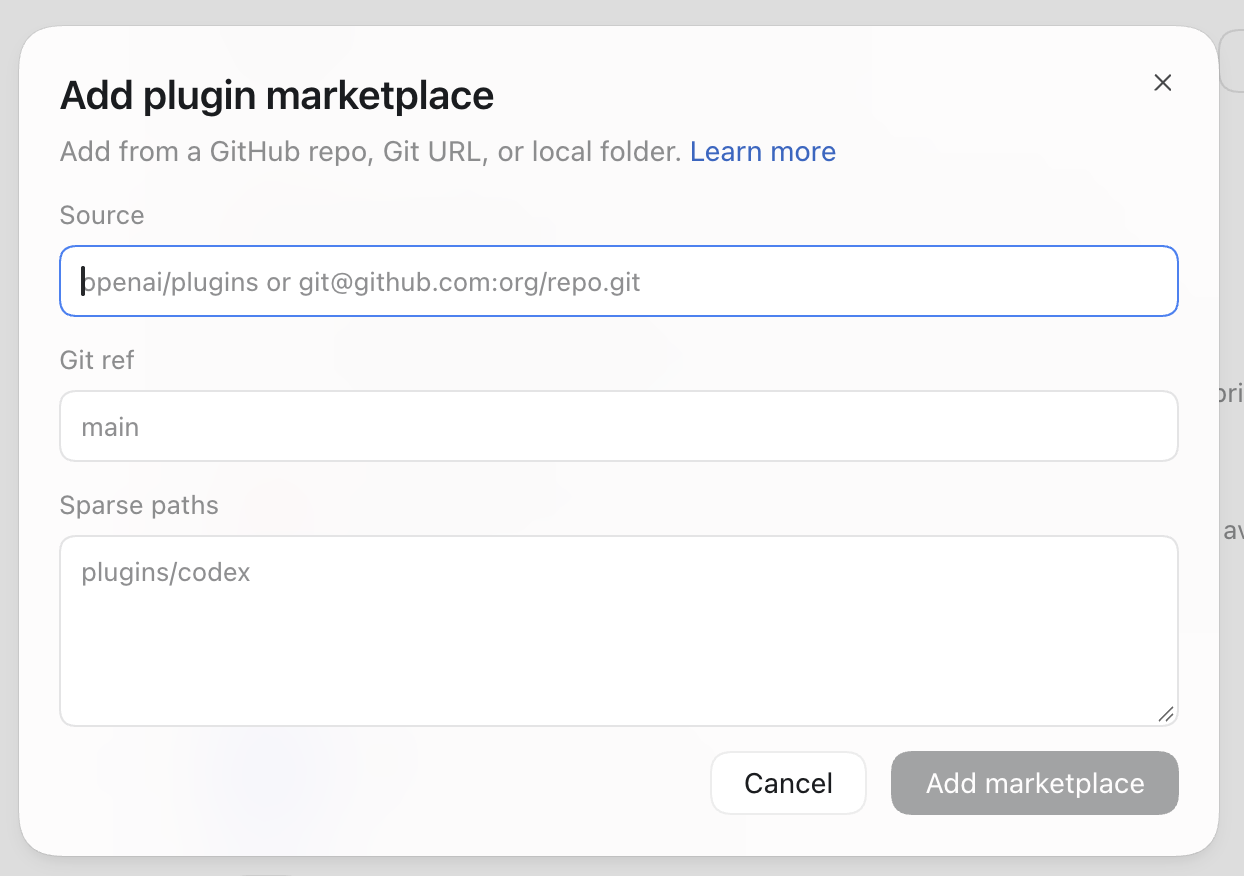
On the Codex plugins page, choose “Add plugin marketplace.” The screenshot shows where to enter the details.
Enter the repository details
Copy the values below into the matching fields. Enter Sparse paths on two separate lines.
- Source
TakeruF/china-rail-mcp- Git ref
main- Sparse paths
.agents/plugins
plugins/codex
Install and ask a question
Click “Add marketplace,” install China Rail, and start a new chat. Try: “Show tomorrow’s high-speed trains from Shanghai Hongqiao to Hangzhou East, including departure times, reference fares, and seat availability.” Queries are read-only and cannot book or pay for tickets.
Turn a travel question straight into a train search.
Tell your usual AI where and when you want to travel. China Rail MCP resolves the stations and reads trains, journey times, indicative fares and availability from public 12306 information. It is a read-only starting point for comparing travel options, not booking.
One question, three views.
The same Guangzhou South → Changsha South query, captured on September 3, 2026
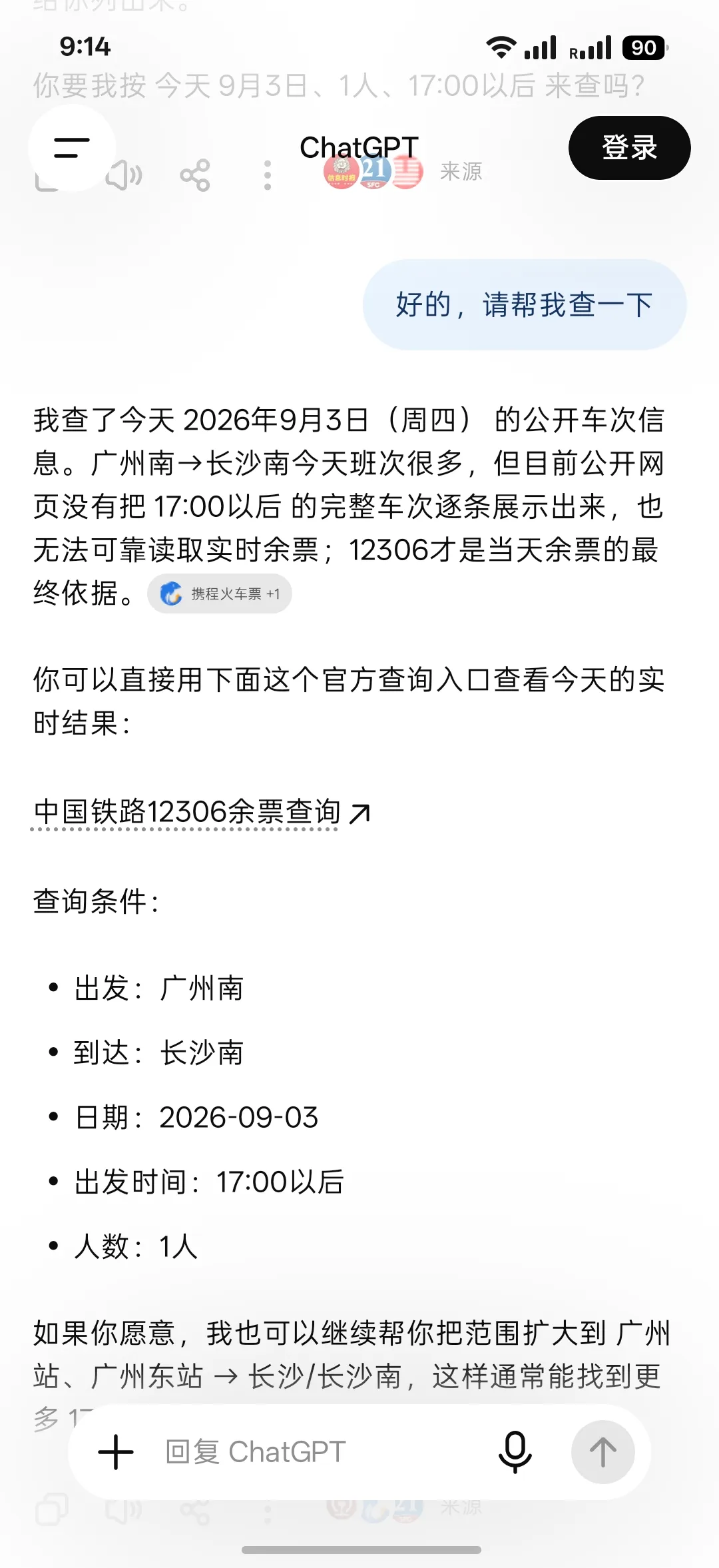
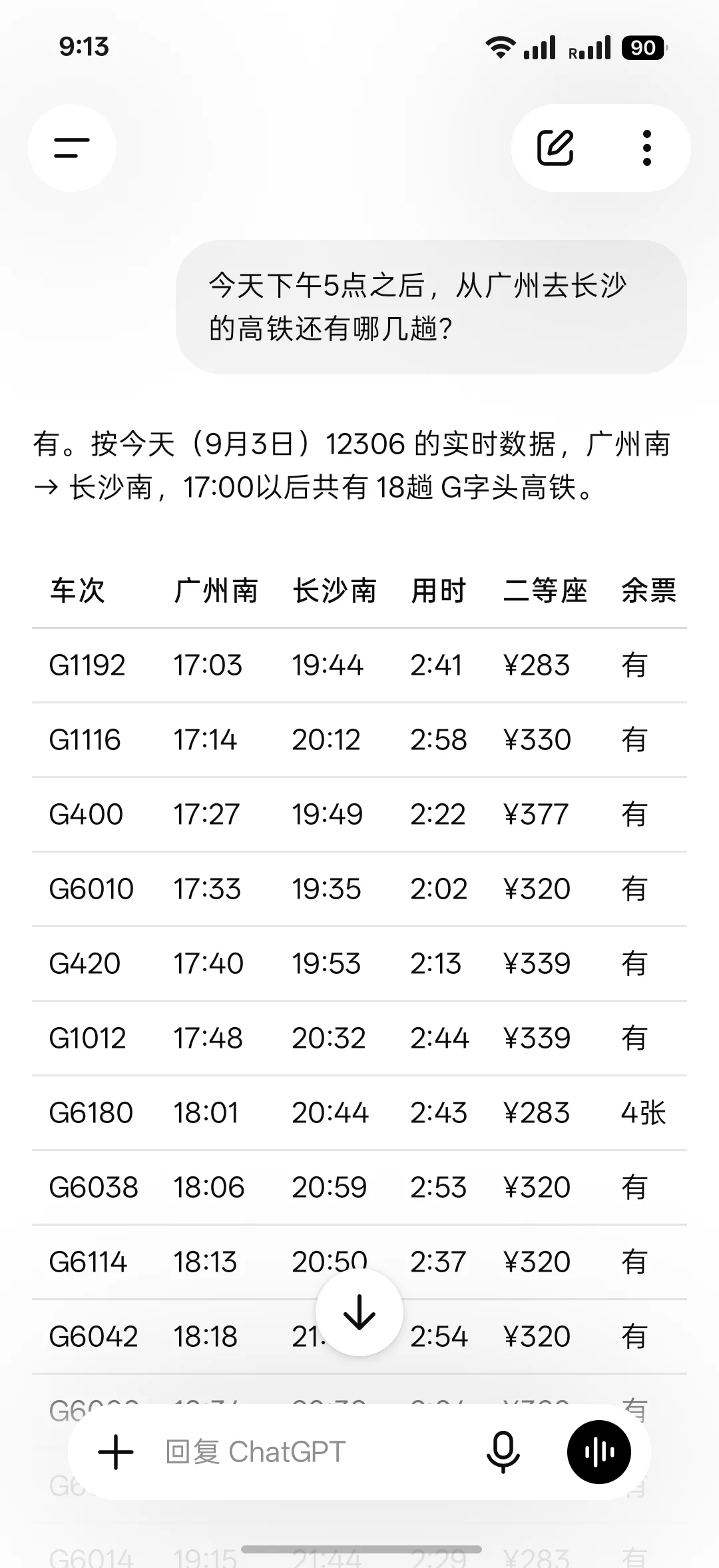
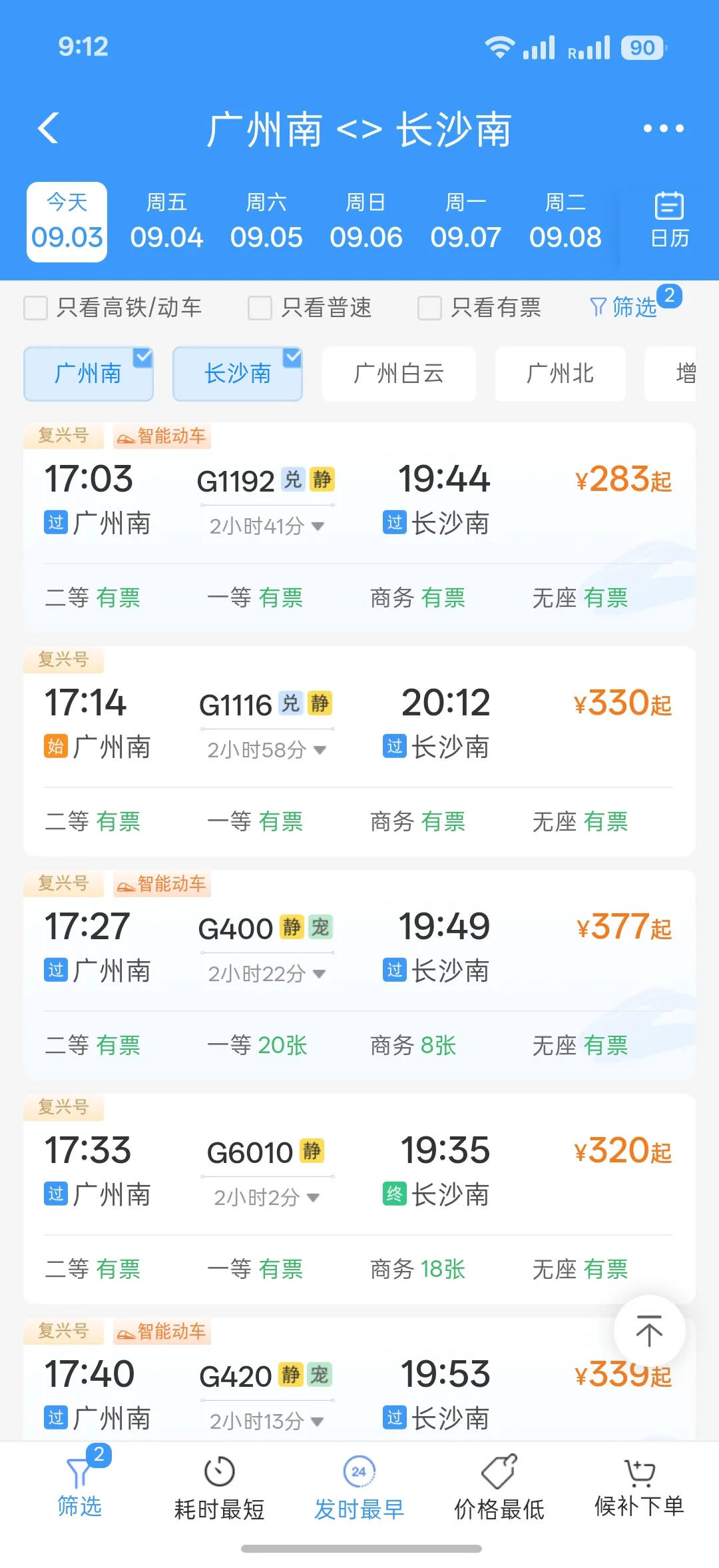
This is an example based on public information at that time. Times, fares and availability vary with the query time and sales status.
Turn an uncertain station name into a search.
Resolve station candidates from the conversation, then turn departure, arrival, date and time into concrete search conditions. When names are similar, it can show the choices instead of guessing.
Bring the details needed to compare into one reply.
Returns train numbers, times, duration, indicative fares, seat types, availability and stops in a structured format—moving from a natural question to information you can use to choose.
Check information, without booking.
No 12306 account, sign-in or personal cookies are needed. It does not handle reservations, payments, waitlists or account actions, and stays focused on searching public information.
Good to know.
- An unofficial project, not affiliated with China Railway or 12306.
- No reservations, payments, waitlists or account actions are performed.
- Times, indicative prices and availability reflect the query moment and may change with sales or upstream service conditions.